











The Bikosport mobile application brings sports betting directly to your Android device, while iPhone users can access the service through the mobile site. Tanzanian users can follow live markets, manage their accounts, and place wagers without relying on a desktop browser. The mobile experience is designed for touchscreens, smaller displays, and quick access while moving between networks.
Installing the app takes a few minutes. Android users download an APK file from the official website, then approve the installation in phone settings. iPhone owners can use Safari to create a home screen shortcut if a dedicated App Store release is not available. Both paths are explained below, along with system requirements and security checks.
Download Bikosport App
Mobile betting offers speed and convenience when you want to check a market, confirm a slip, or follow an in-play event. The application can keep account access close at hand and may send notifications for live matches or account activity, depending on the settings you choose.
The interface is built for one-handed use. Menus, bet slips, and account tools are easier to reach on a phone than on a full desktop layout. Before installing, make sure your device has enough free storage and that your internet connection is stable enough to complete the download without a corrupted file.
How to Download Bikosport APK
Android users need to download the APK file directly from the official Bikosport website. Google Play may not list betting apps in some regions, so the APK method is common when the file comes from the operator’s own source.
Follow these steps to install the application on your Android device:
- Step 1: Open your mobile browser and visit the Bikosport website.
- Step 2: Locate the download section and tap the Android APK link.
- Step 3: If your phone blocks APK installs, open Settings and allow installs from your browser or file manager.
- Step 4: Return to your downloads folder and tap the APK file.
- Step 5: Confirm the installation prompts, wait for the process to finish, then open the app and log in with your existing account credentials.
After installation, you can turn off permission for unknown app installs again. This reduces the chance of installing unrelated files by mistake later. Keep the original APK only if you need it; otherwise, deleting it can free storage.
Android Installation
The Bikosport Android app is intended for modern Android phones. If your phone is several years old, check the Android version, available storage, and whether the device still receives security updates before installing any betting app.
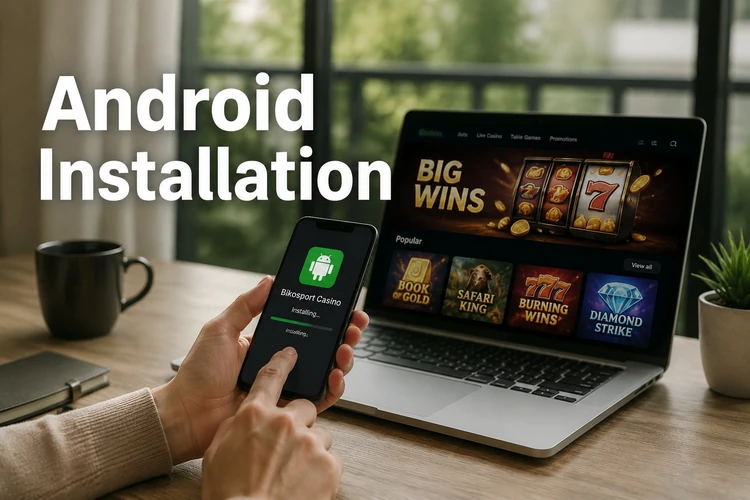
Use Wi-Fi if your mobile data bundle is limited, and do not interrupt the download while it is running. A failed download may leave a partial file that will not install. If you see an error, delete the file and download it again from the official site rather than searching for a copy elsewhere.
Performance depends on your phone, browser, and network. Close unused apps if the installation screen is slow, and keep the device charged during setup. For safer use, lock your phone with a PIN, pattern, fingerprint, or face unlock, especially if the account holds a balance.
Using iPhone and iOS
Bikosport does not currently need to be described as a separate App Store app for Tanzanian users unless it is visible in the store on your device. iPhone owners can still use the mobile browser version of the site, which is the safest fallback when a native iOS app is unavailable.
To create a home screen shortcut, open the Bikosport website in Safari, tap the share icon, then select Add to Home Screen. This places an icon among your apps. Tapping it opens the site quickly in Safari, giving you direct access to live betting, deposits, withdrawals, and account management through the browser.
APK Version
The APK format is the standard installation package for Android software. It contains the files the app needs to run on your phone. Downloading the APK from the official source helps you avoid modified files, outdated copies, or packages that include unwanted code.
Updates usually appear as prompts inside the app or on the official website. The process is similar to the first installation: download the newer APK, approve the install, and let it replace the older version. Your account details are tied to your login, so your balance and bet history should remain available after you sign in again.
The APK version is different from using the browser mainly in how it opens and handles phone features. A browser version needs no installation and is easier to clear from your device, while an APK can be faster to access from the home screen and may support app-style alerts. Choose the method that fits your phone and privacy preferences.
Main Features
The Bikosport app covers sports popular in Tanzania and across Africa. Football is usually the main focus, with leagues from Europe, Africa, and South America available for pre-match and live betting. Other sports may include basketball, tennis, cricket, volleyball, and esports, depending on the current sportsbook schedule.
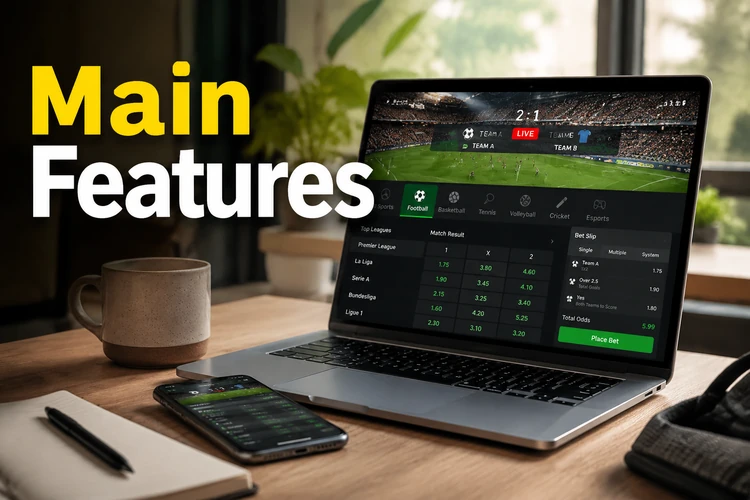
Live betting is the feature many mobile users open first. Odds can change quickly as a match develops, so review the stake, potential return, and updated price before confirming a slip. If the connection drops, wait for the app or browser to refresh before placing the same bet again.
Account management is available from the same mobile environment. You can check your balance, review bet history, and use supported local payment methods where they are offered. Always confirm the amount before approving a deposit or withdrawal, and keep transaction messages until the balance updates.
Notifications can help you track settled bets and live events, but they should not replace careful bankroll control. Set limits that fit your budget, avoid chasing losses, and use the tools on the responsible gambling page if betting stops feeling manageable. Bikosport is for adults aged 18+ only.
FAQ
Android users should download the APK from the official Bikosport website, allow the installation in phone settings, and install the file. iPhone users can open the mobile site in Safari and add it to the home screen for quick access.
It is safer when downloaded from the official Bikosport source. Avoid third-party APK sites because files there may be outdated, modified, or bundled with unwanted software.
Yes, it is intended for Android devices that meet the current system requirements. Check your Android version, free storage, and security settings before installing the APK.
If there is no standalone iOS app available on your device, use the mobile website through Safari. You can add it to the home screen and access the main betting and account features through the browser.
When an update is available, download the newer APK from the official source and install it over the existing version. Do not use old APK copies from third-party sites.
Yes, the app download itself is free. You still need an account to use betting features, and normal mobile data charges may apply when downloading or using the app online.